
Overview
The Renewals workflow helps you prepare Section 8 and 9 declarations by importing the existing registration, reviewing continued use, collecting compliant specimens, and packaging everything for filing.
Step-by-Step Guide
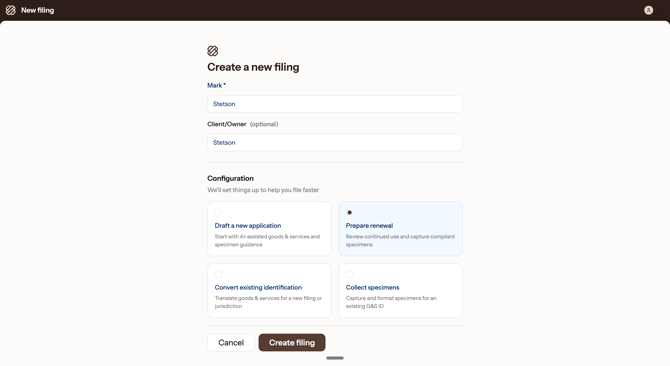
- Create a renewal filing — From the dashboard, click New Filing. Enter the mark name and optional client/owner, then under Configuration select Prepare renewal. Click Create filing to continue.
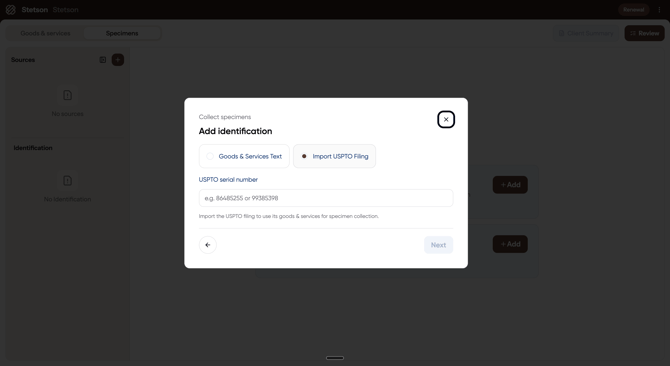
- Import the existing registration — Select Import USPTO Filing and enter the US serial or registration number — Stencil pulls in all current goods and services on file, organized by class. You can also paste goods and services text directly if you're working from a non-US filing.
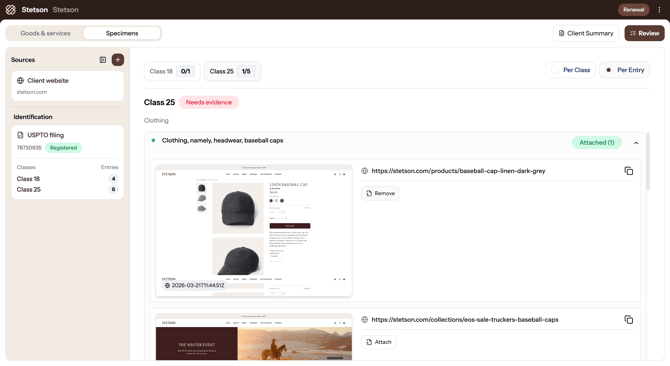
- Collect specimens for each class — Switch to the Specimens tab, add a source like the client's website, and click Generate. Stencil captures screenshots of relevant product pages and matches them to the right entries. Classes marked Needs evidence still need specimens; Covered means every entry has at least one.
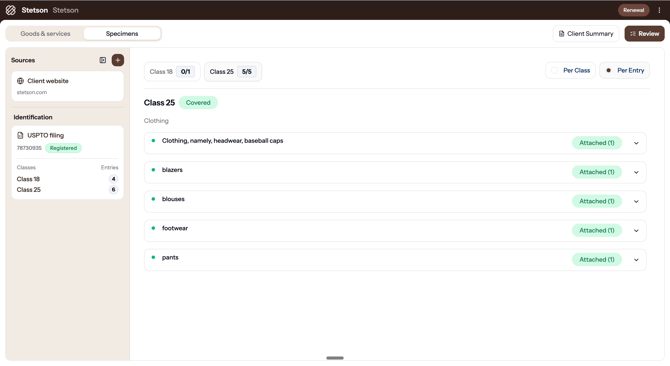
- Confirm full coverage — Once every entry has at least one specimen attached, the class status changes to Covered. Review the full list to confirm each specimen actually shows the mark used in connection with that specific good or service.
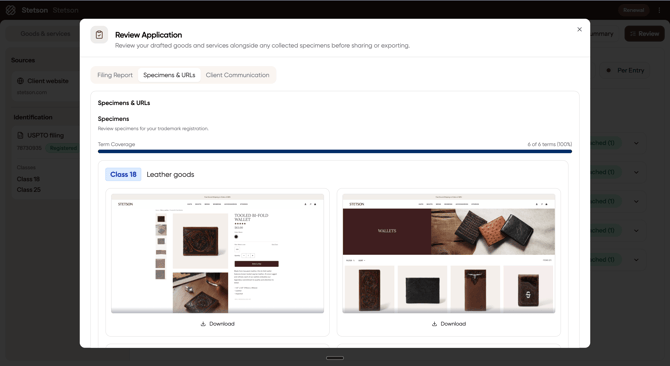
- Review & export — Click Review to open the Review Application panel. The Specimens & URLs tab shows your Term Coverage progress bar and specimen screenshots with Download buttons. Use the Filing Report tab for the full breakdown and the Client Communication tab for a ready-to-send email template.
💡Tip: Stencil stores all collected specimens alongside the registration record, so you can reference them for future renewals or audits without re-collecting.
Key Deadlines
- Section 8 Declaration — Due between the 5th and 6th year after registration, then every 10 years alongside renewal.
- Section 9 Renewal — Due every 10 years after registration.
- Grace periods — A 6-month grace period is available with an additional fee. Don't rely on it — file on time.